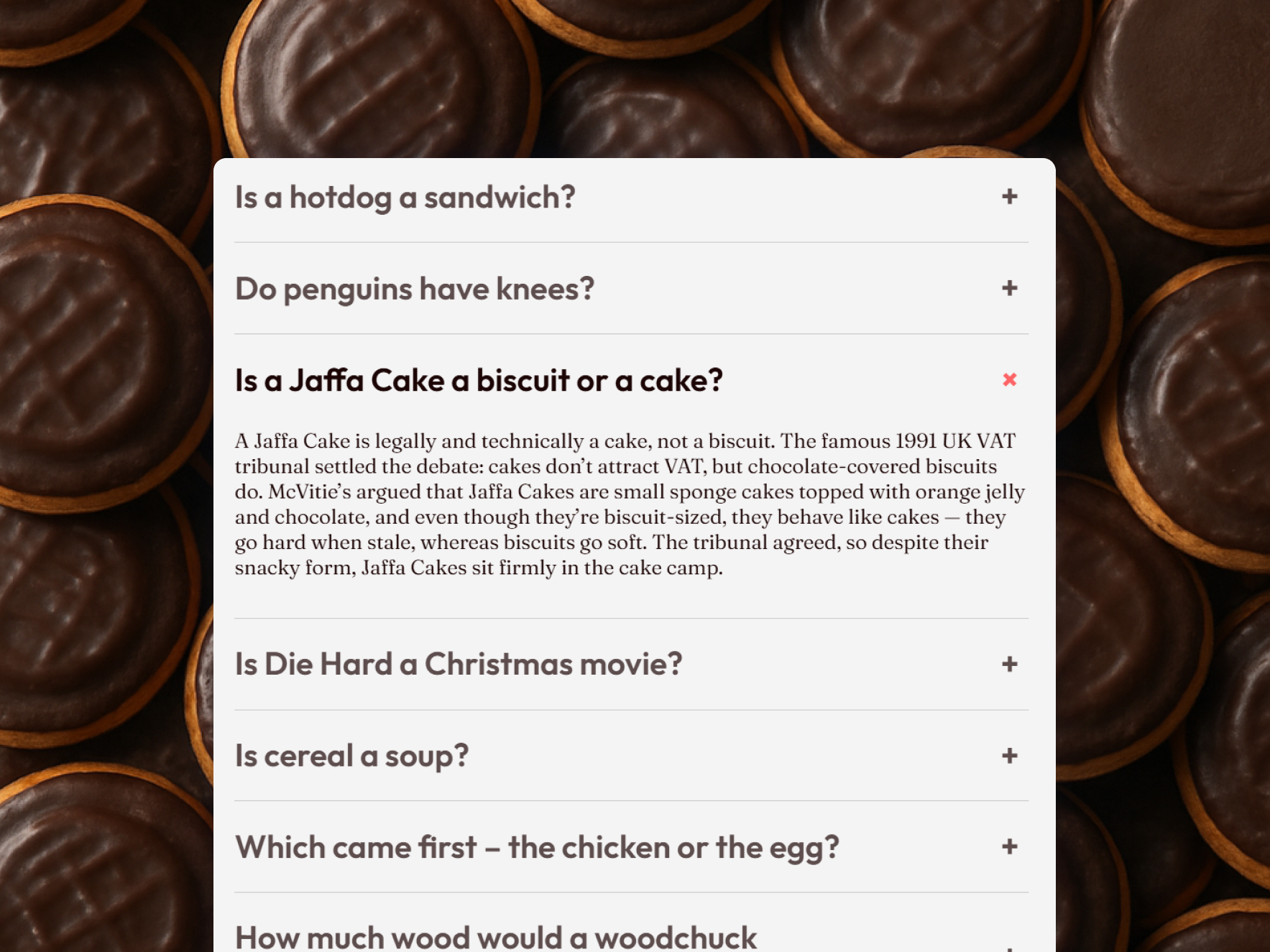
Adding an FAQ section to your website is a simple way to answer common questions, reassure visitors, and improve your search engine visibility. Until now, doing this in WordPress often meant using a third-party plugin using a set of Details blocks. That’s changing with the introduction of a brand new core block: Accordion.
The Accordion block is still labelled “experimental,” so to try it you’ll need the Gutenberg plugin installed and experimental blocks enabled in the settings. Don’t let the word experimental put you off, though — in my testing it feels stable, works well, and is easy to use.
How the Accordion Block Works
The Accordion block lets you create collapsible sections directly inside the WordPress Block Editor. Each item expands or collapses when clicked, making it ideal for FAQs, but also handy for things like glossaries, instructions, or any information-dense page where you want to make the content more digestible.
Oh look, here comes one now…
See how each section can expand and collapse? Pretty neat, eh?
Each Accordion block contains a number of Accordion Content blocks. You can put pretty much anything in these bad boys – not just text. Look, there’s a giraffe in this one.


Told you!
It comes with simple, sensible styling out of the box. Depending on your theme, though, it might not match the rest of your site perfectly. That’s easy to fix — if you’d like it refined to blend in seamlessly with your design, get in touch and I can help. As you can see above, I’ve made some minor design tweaks to make it feel more at home on my own site.
Boosting SEO with FAQ Schema
Adding FAQs is good for your visitors, but did you know they can also be good for SEO? Search engines like Google can display FAQs directly in search results as rich snippets — those little dropdown things you sometimes see under a search listing. This extra visibility can improve click-through rates and help your website stand out.
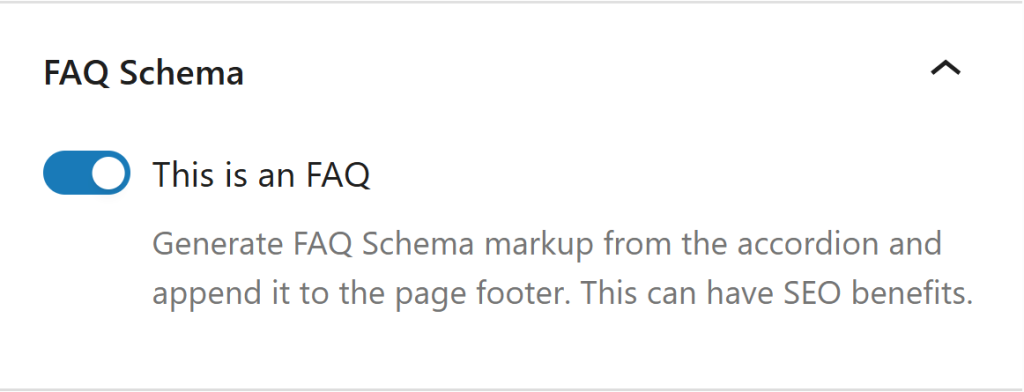
That’s why I built a free companion plugin called Accordion FAQ Schema Toggle. When you install it, you’ll see a simple toggle in the Accordion block settings labelled “This is an FAQ”. Turn it on, and the block will output the proper FAQ Schema markup behind the scenes. Search engines then recognise your accordions as FAQs and may display them in search results.
What If Your Website Doesn’t Support the Block Editor?
To use the Accordion block (or my plugin), your site needs to be running the modern WordPress Block Editor. If you’re still on a theme that only supports the Classic Editor, you won’t be able to take advantage of these new tools.
That might be a sign it’s time for a new website. The Block Editor makes it easier than ever to manage and update content, and it opens the door to all the latest blocks and features WordPress has to offer. If you’re considering an upgrade, let’s talk — I’d be happy to help.
The Accordion block is a welcome addition to WordPress, and with the Accordion FAQ Schema Toggle plugin, it can pull double duty: improving usability for your visitors and SEO for your website.
If you’d like help styling your new FAQ section, upgrading your theme to support the Block Editor, or building a modern WordPress site from scratch, drop me a message.